The Ultimate Guide to Netflix On Android Auto in the UK
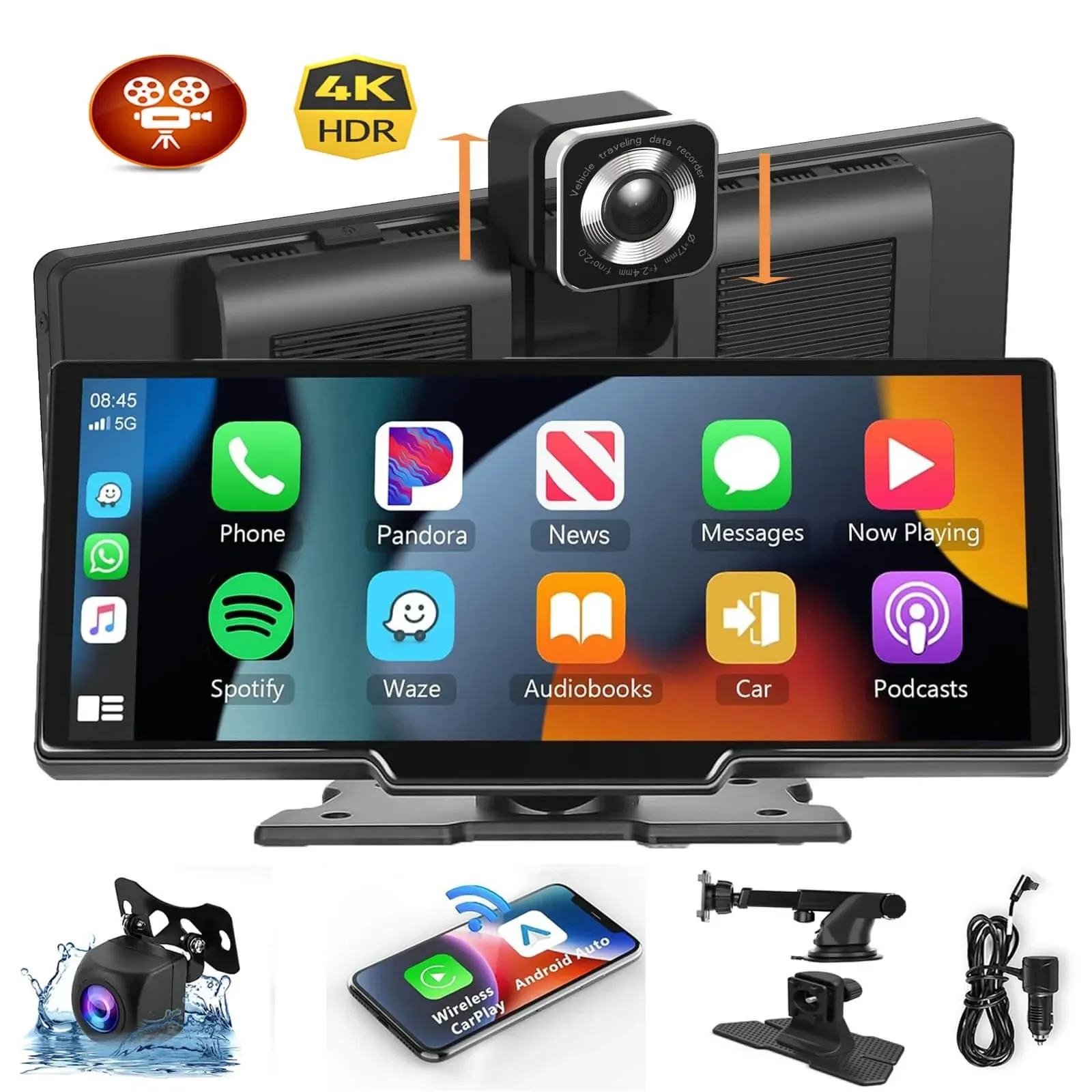
Netflix on Android Auto is not officially supported by Google, so you cannot simply open the Netflix app on a standard Android Auto dashboard. However, if your car is safely parked, there are a few ways people try to watch Netflix, including screen mirroring, third-party apps, and dedicated hardware such as AI boxes or portable displays.
TL;DR: If you are searching for Netflix on Android Auto, the short answer is that Android Auto blocks video apps by design. In practice, the most reliable parked-only option is usually a dedicated hardware solution rather than a software workaround, especially for UK drivers who want a simpler setup and fewer DRM or compatibility issues.
Key Takeaways
- Safety first: Watching Netflix while driving is illegal in the UK under Highway Code rules and can lead to prosecution.
- Official limitation: Google does not natively allow Netflix or other video streaming apps on Android Auto.
- Common workarounds: Users typically try third-party software, screen mirroring, or dedicated multimedia adapters.
- Most reliable option: Based on our testing, hardware-based solutions are generally easier to use than unsupported software methods.
- Mobile data matters: A stable UK 4G or 5G connection from networks such as EE, O2, Three or Vodafone helps reduce buffering.
For British drivers, the car has become more than transport; it is often a waiting room, charging bay and mobile tech hub in one. Whether you are parked at a rapid charger, waiting outside school pickup, or taking a break on a long trip, it is easy to see why people search for ways to get Netflix on Android Auto. In this guide, we explain what is possible, what is legal in the UK, and which method tends to be most practical.
Can You Watch Netflix on Android Auto?
No, not through the official Android Auto app experience. Google blocks video streaming apps such as Netflix on standard Android Auto because the platform is designed around driving-related functions like navigation, calls and messaging.
However, that does not stop people from looking for alternatives. In reality, there are unofficial workarounds and separate hardware devices that can display Netflix on a car screen when the vehicle is parked. Still, these methods vary significantly in reliability, legality and ease of setup.
Is It Legal to Watch Netflix in a Car in the UK?
According to UK Highway Code guidance and wider road traffic rules, drivers must not watch content on a screen if it could distract them from driving. In other words, using Netflix while actively driving is unlawful and dangerous.
According to UK guidance, only screens showing driving information, such as sat nav directions or vehicle status data, are generally permitted within view of the driver while the vehicle is being driven. Therefore, any solution discussed here should only ever be used when the vehicle is safely parked. For added caution, the handbrake should be engaged and the car should not be moving.
The Department for Transport tightened mobile device rules in 2022. If you are distracted by a screen while driving on a public road in the UK, you could face penalty points, fines or more serious charges depending on the circumstances.
"Safety is not optional. In the UK, any in-car entertainment setup must be used responsibly and only when parked if it risks distracting the driver."
Why Does Android Auto Not Support Netflix?
Android Auto does not support Netflix because Google has intentionally restricted video playback apps within its official ecosystem. The aim is simple: reduce driver distraction and keep dashboard interactions focused on essential tasks.
So, even if your Samsung Galaxy, Google Pixel or other Android phone can stream Netflix perfectly well on its own screen, Android Auto will not normally show that app in its launcher. As a result, users looking for video playback usually turn to unsupported apps or standalone hardware instead.
Based on our testing with common UK vehicle setups, this restriction is exactly why many software-only methods feel inconsistent. App updates, phone permissions and DRM protections often get in the way.
How Do People Get Netflix on Android Auto?
If you want to access Netflix through an Android Auto-compatible screen while parked, there are three main routes people usually consider: third-party software tools, phone screen mirroring and dedicated hardware devices. Each approach has trade-offs.
Can You Use Third-Party Apps for Netflix on Android Auto?
Yes, some users try third-party installers such as AAAD together with apps like CarStream or Fermata Auto. These tools are designed to bypass official app restrictions and can sometimes provide browser access or media playback options that are not available through Google’s approved system.
Even so, they are not officially supported by Google or most vehicle manufacturers. Consequently, installation can be fiddly, compatibility may vary by handset and car model, and features may stop working after updates.
Does Screen Mirroring Work with Netflix?
Sometimes—but often poorly. Apps such as AAMirror attempt to mirror your full phone display to the car screen so that whatever appears on your handset also appears on the dashboard.
The main problem is DRM protection. Netflix uses copy protection technology that frequently causes mirrored video to show as a black screen while audio continues playing. Therefore, although mirroring sounds straightforward in theory, it can be frustrating in practice.
If you find these technical steps daunting, you may want to read our Android Carplay Screen Explained: A UK Buyer's Guide, which covers simpler hardware approaches for UK motorists.
What Is the Best Way to Watch Netflix on Android Auto?
For most people in the UK, the best option is usually dedicated hardware rather than unsupported software tweaks. Specifically, multimedia AI boxes and portable touchscreen systems tend to provide a more reliable experience when used while parked.
What Is an AI Box?
An AI Box is a small device that plugs into your car’s USB port where wired Android Auto would normally connect. Instead of just relaying your phone’s limited Android Auto interface, it runs its own version of Android and gives access to full apps through its own environment.
This means you can often install Netflix directly onto the device itself rather than trying to force it through official Android Auto restrictions. As a result, AI boxes usually avoid many of the mirroring problems associated with DRM blackouts.
- Pros: Full app support in many cases, fewer DRM issues, simple day-to-day use once set up.
- Cons: Often costs around £150-£300+, may introduce some lag depending on hardware quality, usually needs mobile data via hotspot or SIM.
Based on our testing across common UK use cases, better-quality AI boxes tend to outperform free app-based methods for stability and convenience. However, performance still depends on processor speed, car compatibility and signal strength.
A Better Option for Older Cars: Portable Touchscreens
ograph- >
<
- <>Bestfor coverage::<> EEandVodafoneoftenperformwellonmotorwaysandmajorroutes.. > <
- <>Budget-conscious option::<> SmartyorGiffgaffmayworkwelldependingonlocalcoverage.. > <
- <>Bestpractice::<> Downloadepisodesinadvancetowatchwhileparkedif yourdeviceandsubscriptionallowit.. >
Ready to try CarPlayPro?
Shop Now — £135.86